
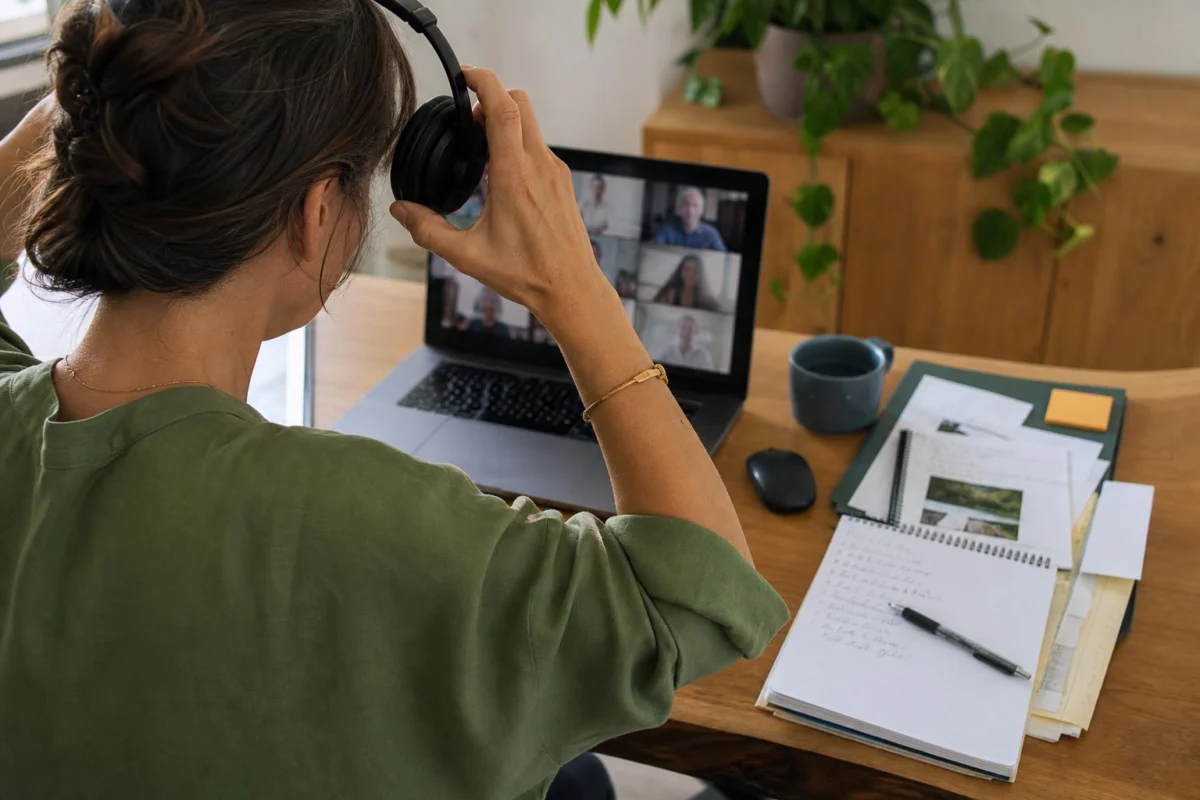
The video meeting has ended, but its pieces are still occupying the desk: the call window, a shared agenda, chat alerts, a notebook and a mug close to the mouse. Before lunch, an invoice needs attention. Going straight from one to the other can mean carrying the whole conversation into the invoice, then losing the job number or agreed amount among the meeting material.
This is a two-minute handover for that exact moment. Rather than trying to become generally organised after a call, put the meeting somewhere dependable and give the invoice one visible beginning. The turning point is small but concrete: a meeting ends as a record; the invoice gains its first detail.
Move from the call to the invoice in six small moves
- Name the item in front of you. Say or write what will be started next: “Invoice for the March design work” or “Enter the client name and job reference.” This is narrower than deciding to catch up on admin. It gives the next two minutes a destination.
- Store the meeting notes where they normally belong. Save digital notes in their usual folder or project space. If the notes are on paper, move the notebook from in front of the keyboard to its active-work spot. Do not improve, rewrite or circulate the notes yet.
- Record commitments made in the call. Put each action that belongs to you into the system you already use, with an action and a useful detail. “Send revised dates to Lee”, “Check supplier figure after Priya replies” and “Add Thursday’s feedback to the draft” can be understood later. “Meeting follow-up” cannot.
- Remove the call from the work area. Leave the meeting, close the agenda and shut any shared document that is no longer needed. A chat message requiring thought can stay unanswered. It is not part of entering this invoice, even if it arrived during the call.
- Set out only the invoice’s first source. Bring the invoice to the front. Find one item needed for its opening entry: the client email with the agreed fee, a timesheet, a calendar record, or the job number. Put it beside the invoice on screen or on the desk. Shift the mug or notebook only if it blocks your keyboard, mouse or document.
- Put in one actual detail. Type the client name, select the job reference, add the first date worked or enter the first line of hours. Save if appropriate. The point is not to complete the invoice within two minutes; it is to make its next move obvious.
An ordinary 11.58 am changeover
At 11.58 am, a project call finishes. On screen are the video platform, a shared Google document and an email from a client about a February invoice. On the desk are a notebook showing three decisions from the call, a printed agenda and coffee. Lunch is planned at noon.
First, save the call notes in the project folder. The three commitments become separate entries in the usual task list: send dates to Lee; wait for Priya’s supplier figure; add Thursday’s feedback to the draft. Close the call and shared document. The printed agenda goes to the side of the desk; the coffee moves away from the mouse.
Then open the February invoice and the client’s email confirming the agreed fee. Enter the client name and job reference. At noon, the invoice is not finished, and the inbox is untouched. But after lunch there is no need to reopen the meeting, wonder where the call notes went, or search through tabs to work out what was meant to happen next.
Why this handover prevents the meeting from spilling forward
A video meeting leaves several kinds of unfinished material in view at once. There may be decisions to remember, messages arriving in chat, documents opened for discussion and a lingering urge to check whether everyone has left the call. None of those items is necessarily urgent, but together they make the planned next job less visible.
Saving notes and recording your own actions separates remembering from doing. The meeting has produced information, commitments and perhaps work for other people. Once those are captured clearly, they do not need to stay open in tabs or in your head while you prepare the invoice. The wording matters because a specific record saves a later round of interpretation. A note to check a supplier figure after someone replies identifies both the work and the dependency.
Closing meeting-only material also changes what the screen is asking of you. An agenda, chat panel and shared document invite more reading. Even a brief glance can lead to a reply, a clarification or another task. That may all be worthwhile later. In this narrow interval, though, it competes with the job already selected for before lunch.
The physical part is deliberately limited. A full desk tidy has different decisions attached to it: where papers belong, which cables to keep, whether the mug needs washing and what to do with old post. Moving the notebook off the keyboard or the agenda away from the mouse is enough when the immediate aim is an invoice. Clear access beats a polished desk here.
Finally, the first invoice entry changes the nature of the return. “Do the invoice” can contain many questions: which client, which period, what rate, what dates and which records are needed? A client name or first line of hours narrows that uncertainty. Leaving the relevant email or timesheet visible creates a useful trail back into the work, particularly if lunch, a delivery or another request interrupts.
Questions that come up at the handover
What if the meeting runs late and I have less than two minutes?
Save the notes, capture any commitment that could be forgotten, close the call and open the invoice. Even without entering a detail, having the invoice and its first source ready gives you a clear return point.
What if a chat message from the meeting needs an immediate reply?
Reply only if it genuinely affects an urgent decision or prevents a problem. Otherwise, record it or leave it for the next communication block. A considered chat response is its own task, not a side effect of starting an invoice.
What if the invoice cannot begin until I find more information?
Open the invoice anyway and locate the first missing fact, such as the job number, dates or approved amount. Write or record the exact source to check. That is more useful than searching through every related file without knowing what you are looking for.
Should I clear all the meeting tabs?
Close tabs used only for the call. Keep open the one document or email required for the invoice’s first entry. The screen only needs to support the next piece of work, not become empty.
Stop once the invoice has a way in
At the end of this short reset, unread email may remain, coffee may still be on the desk and the invoice may contain only a name, date or reference. That is enough. The meeting is saved and its actions are recorded; the call is no longer occupying the working space; the invoice has begun with the material needed to continue it.
Before moving on, check one thing: can you return to this invoice without reopening the video meeting to reconstruct what happened? If the answer is yes, the change from the finished call to the next thing is complete.