
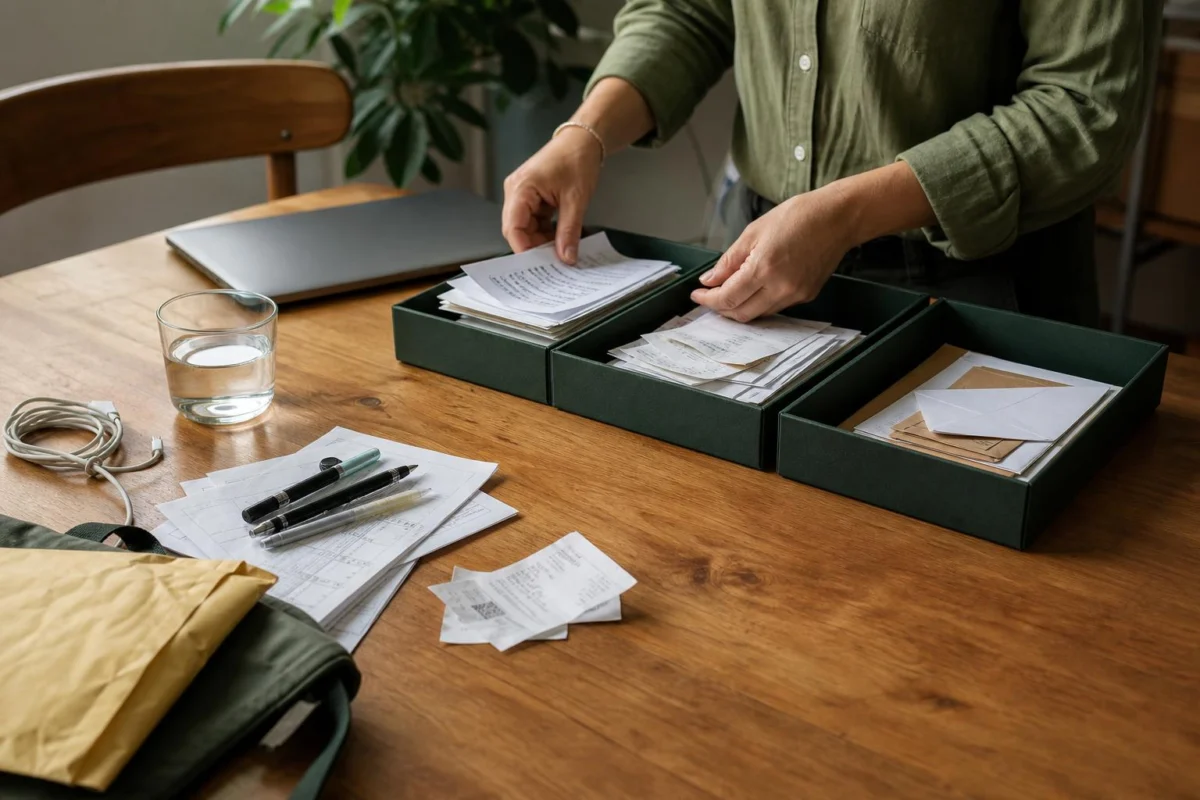
At 9.12 am, you open your laptop to send a quote and find the desk has become a map with too many destinations: a courier satchel, last week’s meeting notes, a half-empty water glass, a phone cable, three pens, a receipt and a printed price list. None of these objects is especially alarming. Together, they make it unclear where the quote is meant to happen.
Making your desk feel less cluttered is less about tidying every possession than giving each visible item a location based on its job. The centre is for the work currently underway. Things needed often can sit at the edges. Everything else needs to leave the map for now: into a drawer, a tray, a bag, the kitchen, or one clearly contained paper group.
Redraw the surface around today’s job
- Name the job your desk needs to support. Be exact enough to identify its materials: review the roster, write a proposal, reconcile expenses, or take a client call. This is the item that belongs in the main working area.
- Mark out the centre with your hands. Sit down and notice the space between your keyboard, notebook and mouse. Put the current document, open notebook or laptop there. If a thick bundle is involved, bring forward only the pages required for this part.
- Give daily tools an edge position. Keep only the pen you favour, one notebook, your phone if it is needed for work, and the active charger. Put them in consistent places around the perimeter: notebook to the left, phone face-down near the back, pen alongside the notebook, cable behind the screen.
- Remove objects with an obvious destination. Take away the empty mug, lunch wrapper, delivery packaging, old water glass and borrowed kitchen items. These do not need a desk decision. Put each where it normally goes before returning to the papers.
- Map loose papers into three locations. Put the paper for the current job in the centre. Put papers requiring attention in one tray, folder or upright stack. Put reference material in its known file or drawer. If something has no clear home today, place it at the back of the action stack rather than leaving it in a separate corner.
- Reduce the cable crossings. Keep connected the lead you will use during this work period. Shift it behind the laptop or along the back edge of the desk. Unplug adapters, spare charging cords and devices that are not part of today’s setup, then place them in a drawer or cable pouch.
The result can still look like someone works there. The point is that the objects nearest your hands all relate to the same piece of work.
Example: setting up to approve supplier invoices
Imagine you sit at a home-office desk after breakfast to approve four supplier invoices. In front of the monitor are yesterday’s handwritten call notes, an unopened envelope, a return label, a coffee cup, two charging leads, a calculator, a diary and a folder containing invoices from several months.
Start with the laptop, calculator and the four invoices due for approval. Place those in the centre. The diary moves to the left edge because you may need a date. One pen goes beside it. Put the coffee cup in the kitchen and the return label with the parcel by the front door. The unopened envelope goes into the incoming-paper tray, rather than becoming part of the invoice task.
Put the older invoice folder in a drawer or on a shelf, keeping it available without having every page in view. Move yesterday’s call notes into the action tray. Run the laptop charger behind the monitor and unplug the spare lead. You are left with a simple arrangement: payment portal on screen, current invoices, calculator, diary and pen.
That desk has not been transformed into an empty surface. It has been arranged to answer one immediate question: can these invoices be checked and approved?
Why an object-by-object map changes the feel of a desk
A desk feels cluttered when different categories of object claim the same small area. A receipt is asking to be recorded. A meeting note may contain a follow-up. A charging cord needs to be untangled. A snack wrapper needs to be discarded. Meanwhile, the report or email you actually opened the desk for has no obvious place. The crowded feeling comes partly from this visual competition.
Sorting by location changes the question from “Should I deal with this properly?” to “Where can this sit until its proper job comes up?” That is a smaller, more workable decision. An incoming tray does not solve the contents of every letter, but it stops envelopes, forms and notes from spreading across the keyboard area. A drawer does not turn spare adapters into a cable system, but it means they no longer cross the space used for writing.
The centre of the desk matters because it is where your attention lands first. If the active material is visible and physically easy to reach, starting involves fewer little moves: lifting a pile, finding the right page, shifting a drink or tracing a cable. There is room for a mouse, forearms and a notebook without balancing items on top of one another.
Edge positions are useful for familiar support items. A notebook that always sits to one side is easy to locate. A charger that comes in from behind the screen is less likely to loop over papers. Limiting nearby stationery is not a rule about owning fewer pens; it simply prevents the desk from becoming the storage place for every duplicate pen, highlighter and packet of sticky notes.
This approach also suits desks that are shared, temporary or small. At a dining table, the “map” might be a laptop, one folder and a pouch holding charger and pens. At a hot desk, it might be a notebook, headset and the file for the morning’s meeting. The locations can be more portable, but the same distinction remains: active work in front, essential tools beside it, unrelated belongings elsewhere.
It can help to keep personal objects that make the area pleasant, such as a small plant, photo or coaster. Give them a fixed corner and keep their footprint modest. They then read as part of the desk rather than as another pile to navigate around.
Desk-map questions that come up
What if every paper on my desk seems important?
Keep only the papers needed for the task you are beginning in the centre. Gather the rest into one action stack, tray or folder. They can still be important without all being visible at once.
Where should I put items that genuinely have no home?
Use one temporary container, such as a small tray, lidded box or drawer section. Keep it separate from the active work area. Later, when you have a reason to sort it, you can decide what belongs where.
Does a desk need to be empty to feel clear?
No. A working desk can hold an open notebook, a drink, a charger and a few tools. It feels clearer when those items have room and are not mixed with unrelated paper, rubbish, packaging and spare equipment.
What if I need several projects available today?
Keep one project in the centre and group each other project in its own folder, tray or stack at the back or side. Bring a group forward when you switch projects, instead of combining all pages into one broad pile.
Stop at a desk that shows its next use
Finish once the centre of the desk holds the current job, the tools around it earn their place, and the remaining objects have been moved to a recognisable location. The unopened post can wait in its tray. The spare cable can sit in the drawer. The old notes can remain in their folder.
Before you begin, look at the cleared patch in front of you. If there is space to place your hands and the materials for the next piece of work are immediately apparent, the desk has done what it needs to do.