
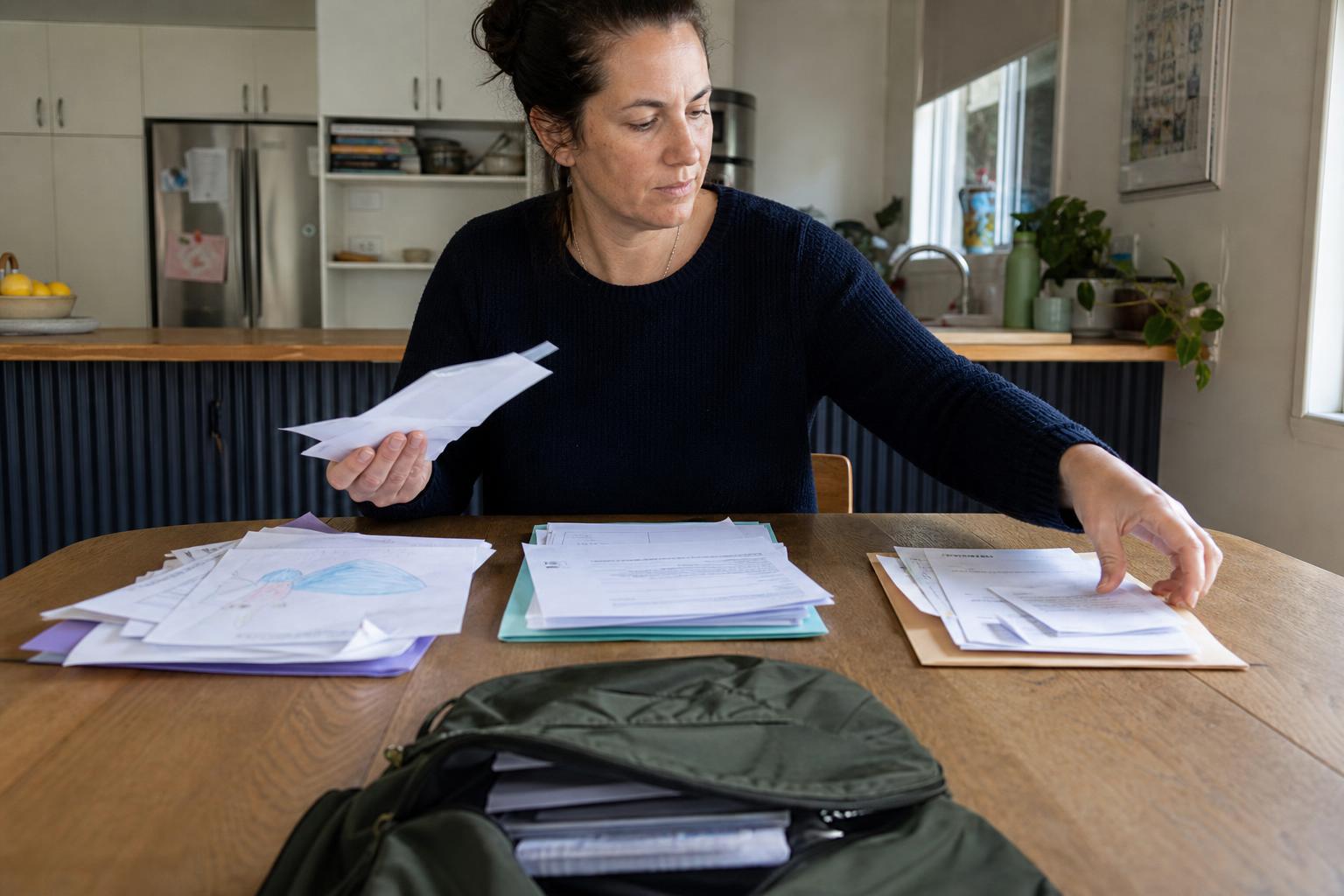
A permission slip half-hidden in a backpack folder creates a very particular school-night problem: it may need a signature before tomorrow, but it is surrounded by spelling tests, drawings, menus, and announcements. The goal of this School Paperwork Reset is to follow that possible action item from the backpack to a place where it can go back to school.
Start with the paper that asks something of your household. A signature line, a date, a fee, a checkbox, an RSVP, or instructions to return a page separates a form from the rest of the pile. The lunch menu can wait. A field-trip waiver or health update cannot safely blend into the same stack.
Move each return form through the next handoff
- Open the school folder over one clear spot. Pull out papers from the backpack, its return pocket, and any school notices left on the countertop. Keep mail, receipts, and non-school papers out of this pass.
- Read only for a response request. Look for dates, signatures, money, contact details, supply requests, online confirmations, or a direction to send the page back. Put every paper with one of those signals into a single response pile.
- Give each response paper its next location. If it can be completed now, keep it in front of you. Put a form requiring a calendar check, another adult’s input, payment details, or a login into a closed school folder or drawer.
- Finish the straightforward return items. Sign where you have the needed information, fill in available contact details, or prepare the payment method requested by the school. Add a stated deadline or event date to the calendar if it affects your household.
- Put completed pages on their way back. Slide a finished form into the backpack’s designated return pocket or another school-specific compartment. Do not leave it beside the calendar, where it can be completed but still miss the bus.
- Release the non-response papers. Recycle duplicate flyers and expired notices. Set aside classwork and artwork for your child to show or select. Keep a newsletter only if it contains information you expect to use.
Stopping point: End after every page needing a response is either back in the backpack, contained for a later decision, or recorded with its relevant date. This is not the moment to file the semester’s schoolwork or decide what to save forever.
A Wednesday folder with three different decisions
After dinner, a green folder comes out of the backpack onto the kitchen counter. It contains a museum-trip permission slip due Friday, a classroom snack sign-up sheet, a weekly reading log, two copies of a PTA flyer, and a watercolor painting. The museum form needs a signature and an emergency contact number that you already have. You complete it, put Friday’s deadline on the calendar, and return the form to the folder’s front pocket.
The snack sheet asks you to choose a date, so it goes in the closed school folder until you can check the family calendar. One PTA flyer goes in the trash. The reading log stays with the child’s homework materials, and the watercolor goes on the refrigerator for now. The counter still has a few papers on it, but the one form that must travel back to school is no longer at risk of being covered by them.
Why the return path matters more than a tidy paper pile
School papers arrive carrying different jobs. Some are requests for an adult to respond. Others are information to know, work a child may want to share, or copies that have already served their purpose. A broad attempt to “organize school papers” turns all of those jobs into equal decisions, which makes a deadline-bearing form easier to miss.
Scanning for response signals narrows the question. Rather than deciding whether every page deserves a folder, you identify whether the school is waiting for something from you. The visible clues are usually printed right on the page: a signature area, return date, payment instruction, checked option, or online task. That gives the pile a clear order without requiring a detailed filing system.
The physical handoff is important, too. A signed form on the counter is finished only halfway. It still needs to reach the backpack, and then the classroom. Sending it directly to the return pocket reduces the chance that a rushed morning separates the completed page from the child who needs to carry it.
Some forms cannot be answered immediately. A volunteer request may depend on work schedules, while a health form may require records you do not have at the counter. Keeping these papers together means they remain pending rather than becoming indistinguishable from old announcements. For forms with student identification, health details, home addresses, or payment information, use a closed folder, drawer, or the backpack instead of leaving them face up in a shared space.
Handling the papers that do not fit one quick answer
What if a form is due the next morning?
Complete the parts you can verify, then place the page directly in the backpack’s return pocket that same evening. If information is missing, contact the school according to its stated instructions rather than guessing.
Where should a school form stay if I need another adult’s answer?
Keep it in one closed location reserved for pending school responses, along with a note of the date if one is printed. Avoid returning it to a mixed countertop pile.
Should school artwork be saved during this paperwork reset?
Keep artwork separate from response forms and postpone long-term storage choices. Your child can select a piece to display, while the remaining work waits for a different sorting session.
Do I need to read every newsletter before recycling duplicates?
No. Check whether a newsletter contains a household date, request, or change you need to know. Retain one useful copy and discard repeats without reading each version closely.
For loose papers connected to your job rather than your child’s school, see a five-minute paperwork reset at work.
Explore five-minute resets for parents.
Let the signed page leave the counter
Finish this reset when the forms requiring a parent response have a clear route: completed pages are inside the backpack, and unresolved ones are secured together with their dates. The drawings, reading logs, and school news can remain for later. What matters here is that the form the school expects has somewhere reliable to go.